


Over the last few years, I’ve spent a lot of time refining my X feed to follow the highest-signal people on the frontier of AI.
In May, I noticed something interesting.
Many were saying the same thing. They now preferred to get AI answers in HTML rather than plain text:
To name a few…
Andrej Karpathy: “This works really well btw, at the end of your query ask your LLM to ‘structure your response as HTML.’”
Lex Fridman: “For answers, I often have it generate dynamic html (with js)”
Thariq Shihipar, Anthropic: “I’ve started preferring HTML as an output format instead of Markdown.”
While I found the posts interesting, I didn’t quite get it.
I understood that getting some responses as an infographic or chart could be helpful. But a few things gave me pause:
I wasn’t sure it was worth the wait to render the HTML.
It felt like something I would only use rarely.
The improvement felt incremental.
As a result, I didn’t do anything.
In June, I noticed something that strengthened the trend.
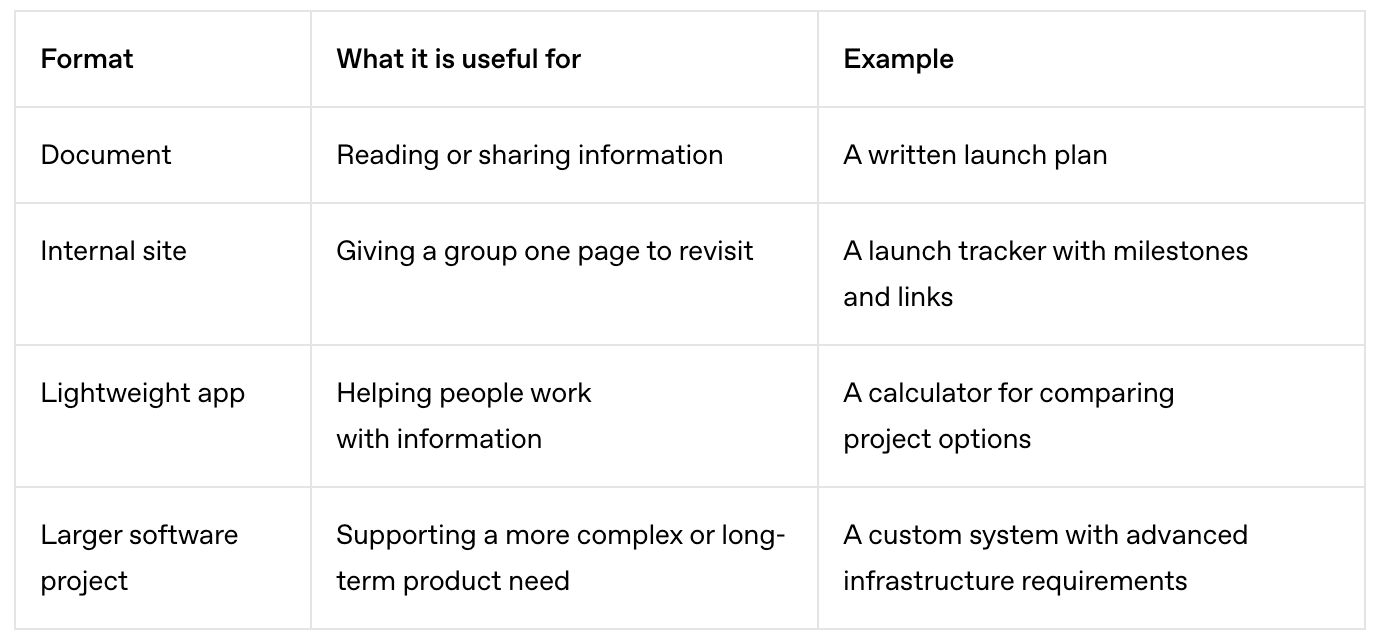
ChatGPT launched Sites on June 2. Sites made it easy for anyone to create a webpage, website, or app:
Still.
Like most people, I ignored it.
A website builder?
“Who cares?” I thought to myself. “There are already a ton of vibe coding tools. And Claude has Artifacts.”
Oh boy, was I wrong…
This Past Month Has Been My Most Exhilarating As An AI User
Over the last 4 weeks of nights and weekends, I’ve built 8 high-quality apps that help me with various parts of learning, thinking, and creating.
Three that I’m most excited about:
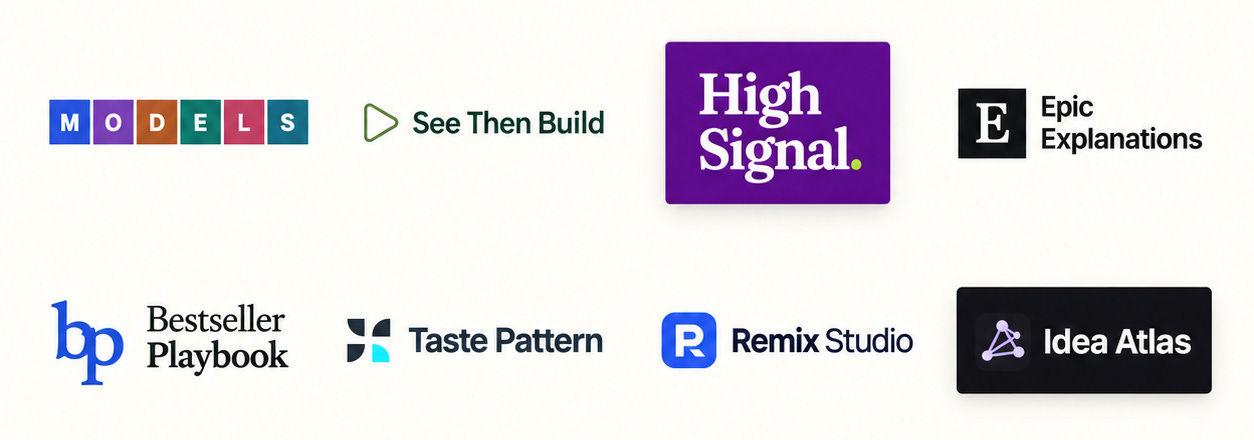
Think With MODELS: By studying the biggest breakthrough ideas in history, I worked with AI to identify and feature 500+ cognitive moves people can use to think better. These moves are the primitives of mental models. Knowing them helps you think better and helps your AI think better.
See Then Build: The latest versions of ChatGPT and Claude are true breakthroughs. They allow you to create things that were unimaginable a few months ago. The best way to explore what’s possible is to see what others have built and then remix it into your own work. But finding those examples takes a lot of manual work. That’s why I created this site. It surfaces the coolest things people are creating every day.
Bestseller Playbook: This site features a navigable database of the most enduring New York Times bestsellers of all time, along with the patterns that made them successful. The goal is to identify the most powerful patterns for crafting and packaging ideas. The analyses aren’t done yet, but the site gives you a good flavor of what it will become.
The branding for each of these alone would cost $10,000. The programming would cost tens of thousands more for each.
With ChatGPT, I did it in dozens of hours for under $500 in AI credits without touching a line of code. Also, ChatGPT doesn’t charge anything for web hosting. Keep in mind that I’m not a designer or programmer.
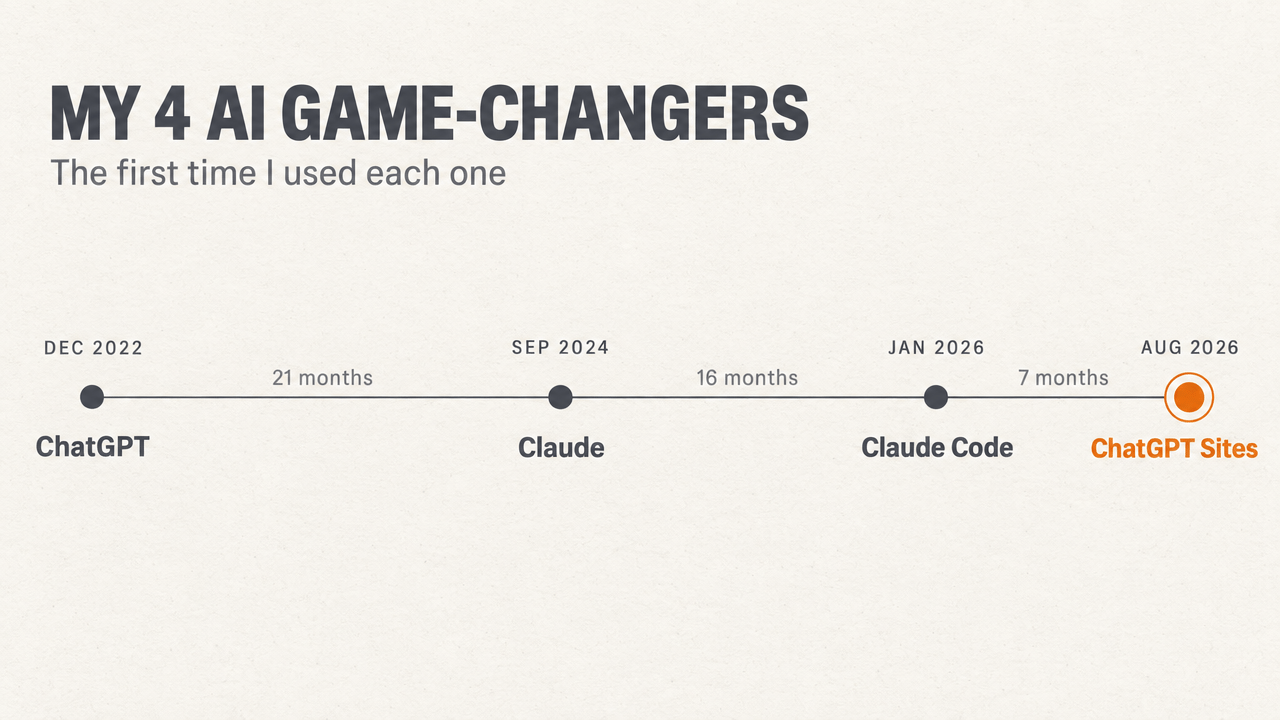
To put the shift in context, there have only been a few game-changing moments that I’ve had with AI, and this is one of them:
In this post, I want to decode why ChatGPT Sites is amazing so you don’t sit on it like I did:
The Core Features Of ChatGPT Sites That I Love
What’s unique about ChatGPT Sites isn’t any one feature. It’s the combination of features that no other tool offers:
Document management
Website development
App development
All-In-One Platform
#1. Document management
Google Docs is still the best choice when you want to quickly create a document that others on your team can share and comment on.
But ChatGPT Sites excels when creating documents you want to share externally with clients, students, and the general public. For example:
Sales proposals
Paid article companions
Teaching resources
Client resources
A few features make Sites especially powerful for documents you share with clients and students:
Beauty. As a non-designer, you can design beautiful documents that would normally cost a few thousand dollars. These docs wow people and build your brand.
Usability. Rather than squeezing everything onto one page where people have to read top to bottom, you can create a user interface so people can jump between sections and pages easily.
Extras. You can make pages with interactive elements, embedded video, databases, interactive 3D models, background animations, and much more.
Each site has sharing permissions like Google Docs. You can set any site, or any page in a site, to:
Public. Anyone with the link can view it.
Viewable by certain people that you add manually or that get added after purchasing.
Editable by collaborators who are on the same business account. If you’re not on the same business account, you can collaborate using GitHub.
#2. Website development
You can build a full multi-page site, with a shared menu and a separate address for each page. Features include:
Custom domain. You can easily add a custom domain to your site.
Multimedia. Pages can combine text with playable media and compatible embedded content.
Interactivity. You can make elements of the page interactive, which is great for teaching or explaining. This includes many types of forms and games.
Forms & import/export. Collect answers through text fields, choices, dates, sliders, or a sequence of steps. Visitors can also bring a local file into a tool or take their work away as a file.
With website development, you can turn documents into websites:
Member bonus → Paid member hub
Client document → Client portal
Teaching resource → Course platform
#3. App development
In addition to hosting static pages, you can host real apps:
Login through ChatGPT. Visitors sign in with their ChatGPT account, so the site doesn’t need its own password system.
User accounts. Once someone logs in, the app knows who they are, so it can save their work, keep their data private, and limit access to the right people.
Interrelated databases. As in Notion, you can create many interlinked databases.
Calculations & branching rules. The site can calculate an answer or choose a next step using rules you provide.
Search, filters & sorting. Help someone find the right item inside a collection.
Connections to other services through APIs. An API lets the site request information or an allowed action from another system.
Turn a site into an MCP. This way, people’s AI can interact with the content of your website.
Granted, if you’re aiming to build a site for millions of users, Sites may not be the best fit. But if you’re aiming to quickly build a niche app, this could be a great fit.
#4. All-In-One Platform
One of the biggest benefits of Sites is that it is a single integrated platform:
ChatGPT credits. You can use the credits from your ChatGPT monthly plan. You can accomplish an astounding amount of work with a $200/month plan.
Browser use. ChatGPT has built-in browser use that is able to view websites and test them so you don’t have to leave your working environment.
Computer use. ChatGPT can operate your computer and use any apps that the browser can’t reach. As of September, this feature works really well.
ChatGPT memory. The AI already has all of your context and memory. This makes its responses much better.
Alerts. You can easily set up an alert in ChatGPT that activates hourly, daily, or weekly to execute a prompt and then update a website. Rather than getting update alerts in your chat, you can see them all on the regenerated website, which allows you to sort, search, and filter them.
This all-in-one integration enables a seamless, affordable, easy-to-use, fast experience that allows you to create beautiful apps even if you’re not a designer or coder.
You literally explain what you want in plain English and then see it built. Then, you explain what you want changed and see it improved.
These Features Give You Superpowers
Create a landing page or landing site. I created a website, Think With MODELS, where viewers can only visit 5 pages on the website before they’re required to give their email address.
Create a new subscription hub. I’ve now created 8 websites. Using a Stripe integration, I can make it so that once someone pays, they get access to members-only content. This may give a site like Substack a run for its money.
Create a client resource. If you’re a coach, you probably have all of the related documents from your calls in Google Docs. With Sites, you could create a hub that has transcripts, to-do items, and a customized AI bot that your clients could talk to.
Create a course platform. If you’re hosting a course, it may actually just be easier to make it a site. This could offer a cheaper, custom alternative to sites like Kajabi and Teachable.
And much more…
Why Sites Is Particularly Powerful Right Now
Sites became even more powerful in September for three reasons:
OpenAI updated its core ChatGPT model on September 3. Astra, the newest model, is significantly smarter. It is especially good at computer use, browser use, and creating 3D models.
OpenAI upgraded its image model on September 8. This model makes images and user interfaces significantly better.
TypeSafe AI released a new class of AI model called Jev on September 15. On the quick decisions it’s built for, Jev is 40 to 200 times faster than today’s leading models and, at its best, more than 400 times cheaper. This is a big deal, because it’s now possible to cheaply integrate AI into any site and make the site smart.
Learn How To Get Started With Sites This Week
I couldn’t fit everything about Sites that I wanted to in one post, so I’ve decided to create a series.
In the coming week, I’m going to share the coolest things I’m creating with Sites, along with the best examples I’ve found from others. And I’ll share how-to tips and prompts with paid users.
To my knowledge, it will be the most comprehensive explainer of Sites on the Internet.
Stay tuned.
This is super exciting! Thanks for sharing, I'm gonna check out too :)
Michael - is there a replay for the Sept 29th webinar (for paid members)?
TIA,
John Kelly