

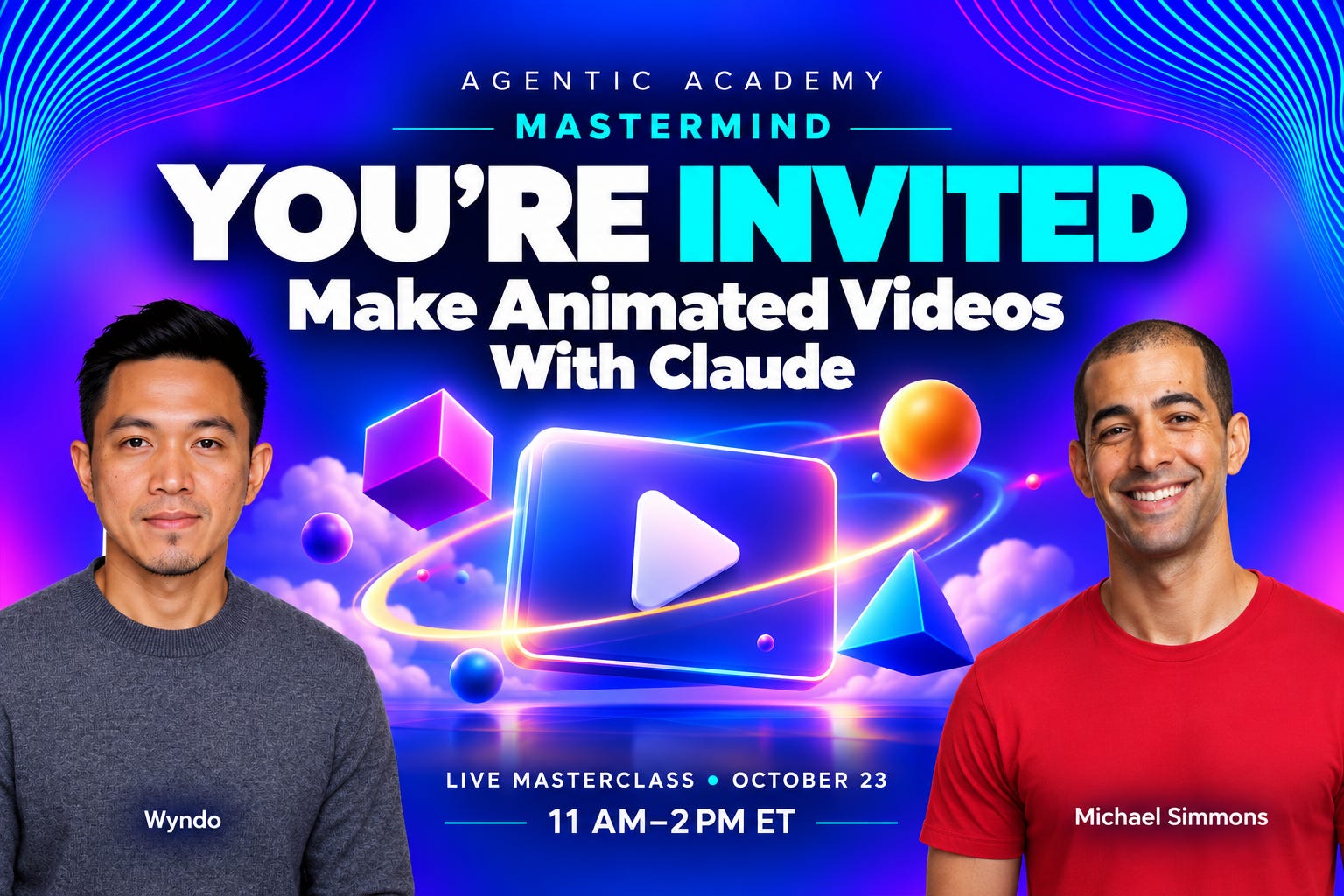
Tomorrow, Friday, October 23, from 11:00am to 2:00pm ET, Wyndo and I are teaching a bootcamp on how to make animated videos with Claude.
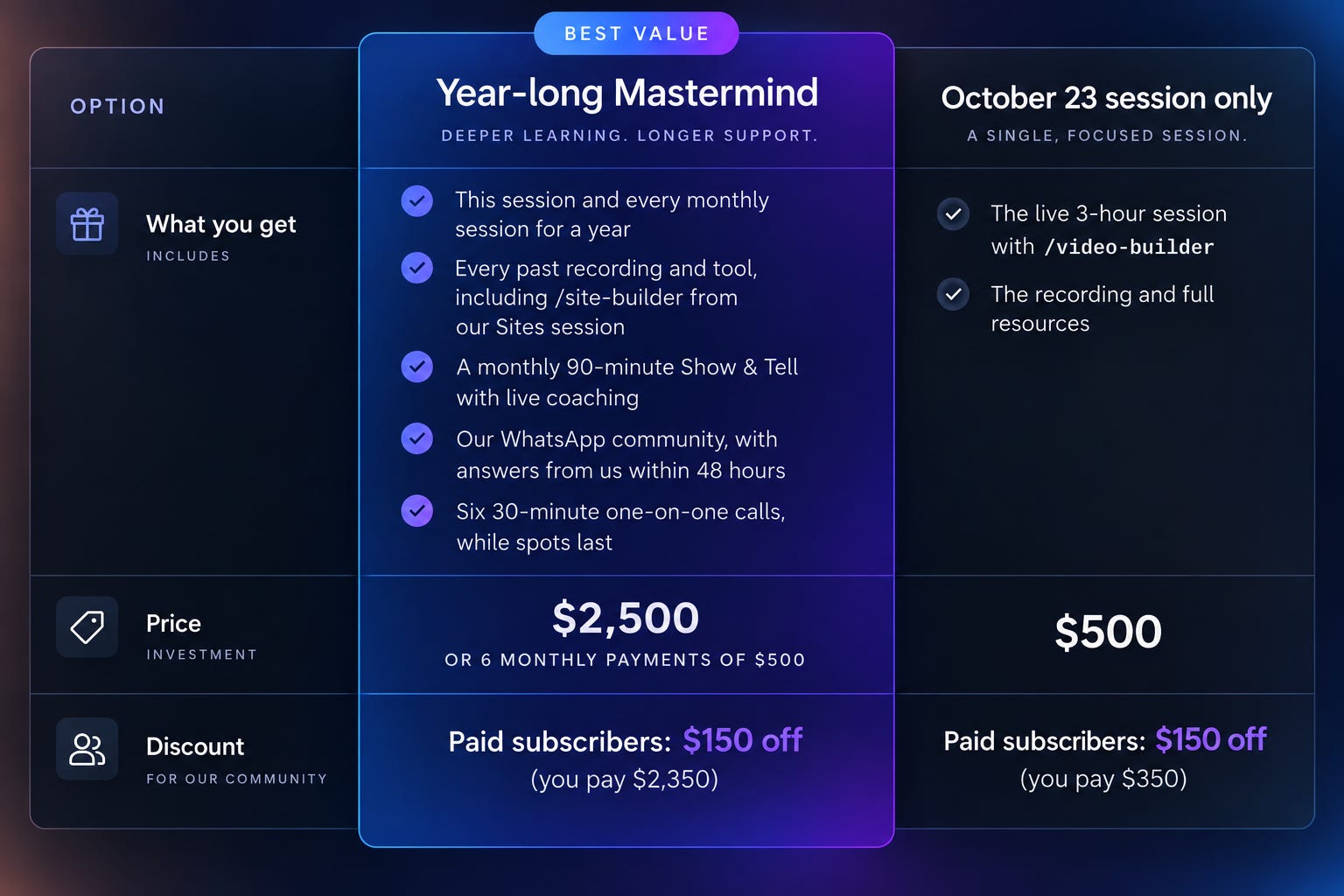
This is your last chance to join us in one of two ways:
Why This Moment Is Special
On September 22, Claude released Opus 5.5. The first AI model capable of creating incredible videos. Since then, Wyndo and I have made dozens of videos with Claude:
Sales video for my consulting
A visual recap of one of my newsletter posts
A launch video for a product
A short history of AI agents
A book summary
A mental models explainer
A Substack Live clip turned into a Short
You can see some of the videos that Wyndo made here. And, you can see some of the ones that I made here.
As a thought leader, this moment is what I’ve been dreaming about for years. It’s not possible to create high-quality, high-quantity content for the first time.
In the coming months, we’re each planning to scale to create hundreds of videos per month.
Now Is The Time To Create Video
We are in a short window of opportunity where it’s possible to create amazing videos on any topic, but most people haven’t realized it yet. You can literally create a video that would’ve cost a professional $2,000. Now, you can do it in 20 minutes for free.
This is a big deal on multiple levels:
Most people prefer video
You can post your ideas on the #1 platform in the world (YouTube)
You can stand out more than ever
But, the opportunity window will likely stay open for less than a year until the Internet explodes with high-quality videos. As someone who has created content for more than 10 years, I can tell you that opportunity windows like this only come every 5-10 years.
Here’s the deal.
Most of us can’t edit video, let alone animate it. So video was the channel most of us left to someone with the skills or the budget. You wrote the newsletter, recorded the podcast, built the course, and the video polished version never happened.

Now you describe what you want in plain English, Claude builds the video, and when something looks off, you point at it and Claude fixes it. The skill that used to stop you is gone, and the question becomes what you make.
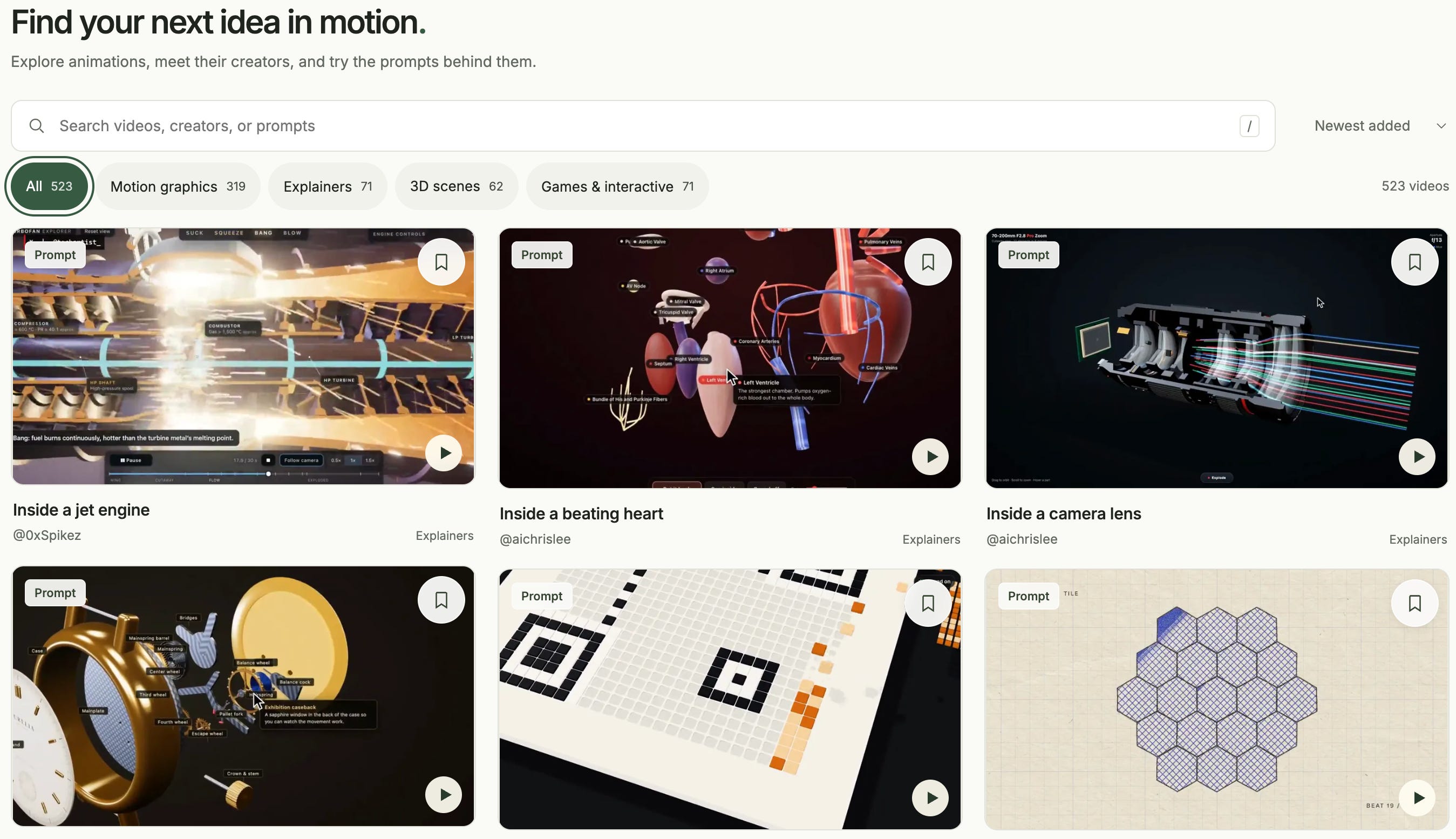
Here’s an example of why I think we’re early. Wyndo keeps a gallery of animated videos people have made with Claude, called MotionFeed. Of the 523 videos in it, more than 100 are versions of the same viral “showreel” prompt, and another 133 are games and 3D scenes. People are mostly showing off what the model can do. Very few of them are someone’s course, client story, product, or best idea explained in their own words.
That gap is the opportunity. A useful video about your own work still stands out, because almost nobody in your field has made one yet.
I don’t expect that gap to last. The models will keep getting better at this, and more people will figure it out. The people who start now will have a library of videos by the time everyone else catches up.
How To Join
Paid Subscribers: Your $150 Code
We offer a $150 discount for if you’re a paid subscriber to my newsletter or Wyndo’s.
Step #1: Become A Paid Subscriber
You need to upgrade as paid subscribers of my newsletter or Wyndo’s ($15-$20/month):
If you’re already a paid subscriber to one of our newsletters, you can skip this step.
Step #2: Get Discount Code
Click one of the button’s below to get your coupon code:
Step #3: Sign Up
Don’t Just Take Our Word For It
The people already using this for real work aren’t making showreels. Here’s what they’re making.
A product video from JetBrains, the company behind Kotlin. One of their team pointed Claude at the Kotlin website, and it made the whole promo:

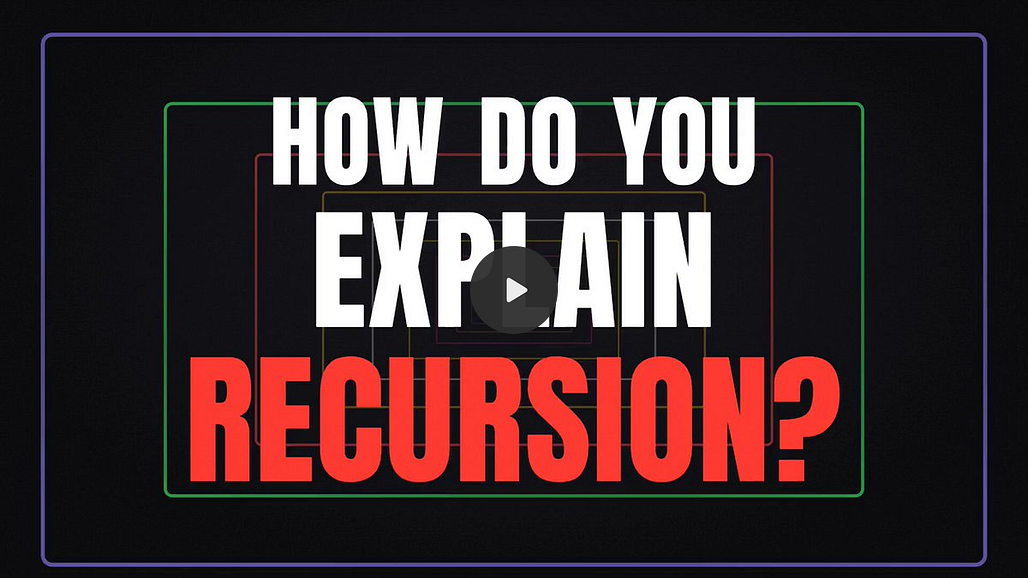
Ethan Mollick, the Wharton professor, asked for a video explaining recursion where every explanation switches to a completely different visual style:

A 30-second explainer for a small business: the customer’s problem, what you do, how it works in three steps, one proof point, and your name at the end:

A company’s “about us” page, retold as a hand-drawn collage animation:


And the design site Codrops put the question better than I can. When making things gets this easy, they asked, “what do we actually want to make and why?”

That’s the question tomorrow is built around.
What We’ll Cover Tomorrow
Here’s the plan for the three hours. You’ll build as we go.
The tech stack overview. We provide a non-technical, layman’s overview of the tools and skills you need to create amazing videos.
What Claude can make now. We’ll show a range of formats, like animated explainers, framework breakdowns, launch videos, and book trailers, so you can see what’s possible before you choose.
Your first explainer video. Pick one idea you teach often, and you’ll turn it into a short animated video during the session.
Finding a style you like. Most of us can’t name the styles we like. We’ll give you a simple way to collect examples, mark what you like about each one, and turn those notes into a style Claude can follow.
Planning your video scene by scene. Before Claude builds anything, you’ll lay out the video scene by scene, so the result matches what you pictured.
Starting from your own recordings. You’ll give
/video-buildera transcript of a class, a call, or a voice note. It finds the strongest point and turns it into a video. We’ll also show you how to add animated titles, graphics, and B-roll to footage you’ve already recorded.Where to use your videos. Posts, course lessons, pitches, client follow-ups, and launch announcements.
🎁 Bonus: You Also Get An AI Video Skill That Will Make Your Videos Better
You’ll also keep /video-builder, the skill we use to create videos. It interviews you about what you already have, who the video is for, and what it should look like, then builds it. You can use it for every video after tomorrow.
Five Ways A Video Can Earn Its Keep
Here are five ways we’ll talk about putting a video to work:
A sales video for a service. I turned my consulting website into a 72-second video I can post on LinkedIn or send to someone before a call.
A launch video for a product or feature. Your product page is enough to start, like the JetBrains and Wispr Flow videos above.
A visual version of your best idea. I turned one of my newsletter posts into an 82-second video I can share in Notes and on LinkedIn, so people who’d never read the post still get the idea.
Short clips from your podcast or live show. Substack already gives you the clips. Claude can animate them for Shorts, Reels, and TikTok without an editor. Claude can also create clips from any recording where your face appears.
A course trailer or free lesson. One concept from your program, animated, as the preview that sells the rest.
What each one earns depends on your audience and your offer. Tomorrow we’ll show you how to make them.
Testimonials From Our Mastermind Members
“While we’ve been talking, I just got it to make that. It went to my client’s website and took all the branding, and then I gave it a spreadsheet that I would normally do a business valuation from. [...] I’ve been putting off making this calculator for them for quite a long time, like months. [...] That would probably be, for me, two days work. [...] Maybe I don’t need to procrastinate.”
Julia Chanteray, The Joy of Business
“I built one simple site, which combines the tasks website we did with the Atomic Habits. And that was extremely easy to do, right? With ChatGPT, I found it so easy to ask also for design changes and the way the site should appear. Super helpful! Thank you!”
Danila Boneva“I built a whole manicure nail design site that you can then print and give to your nail tech. This is something that does not exist today as far as I can tell, and I’m developing a business plan to monetize it with both consumers and salons. I did the first iteration in about an hour, and it’s good enough after about 3 hours of development that I’m sharing it with my friends, who all LOVE it. This would have taken hundreds of hours (at least) of traditional coding. [But I created] something functional and unique after 4 total hours of development.”
Rachel Theriot“I think I just saved myself a lot of time - created an alert that will find me relevant news stories without me having to scroll for them.”
Faythe B.
FAQ
Should I join the session or the full year?
Join the session if you want to make your first video and see how we teach. Join the Mastermind if you want help with the videos after that one, plus a new breakthrough every month with people building alongside you, including lessons from our previous ChatGPT Sites. The Mastermind includes the Build Clinics after the session, where you can bring the video that isn’t working. The session on its own doesn’t. If you start with the session, you can upgrade to the full year later for $2,250.
Do I need to know how to code, design, or edit video?
No. Both are built for people who use AI regularly and aren’t technical. You describe what you want in plain English. The style exercise and the scene-by-scene plan handle the design decisions you’d otherwise struggle to put into words.
Which Claude plan do I need? Do I need Max forever?
You need a paid Claude plan and Claude Code in the Claude desktop app. Pro works to start, but I make my videos with Opus 5.5, and Opus uses up a Pro plan quickly. If you want to make more than one or two videos, I’d go with Max (from $100 a month). You don’t need it forever. You can upgrade for the month you’re building and move back to Pro after.
What if I can’t attend live?
Every session is recorded, and you get the transcript, chat, links, chapter guides, summary, and tutorials.
I use ChatGPT. Can I still join?
The free video tool we use also works with ChatGPT, but we’ll teach and build in Claude, so you’ll get the most from the session on a Claude plan. The Mastermind itself isn’t tied to one model. On October 2, we built in ChatGPT.
What if it doesn’t work for me?
Then you get your money back. Make a video with what you learned within 30 days. If you don’t, email support@thoughtleader.school within those 30 days and we’ll refund you in full. If you’re on the payment plan, we refund what you’ve paid and cancel the rest.
Join Us Tomorrow
Friday, October 23, 11:00am to 2:00pm ET, live on Zoom. The session is recorded with full resources if you can’t make it live. Doors close when we start.
A full-year of Mastermind: $2,500, or 6 monthly payments of $500. Paid subscribers from AI Maker or Blockbuster Blueprint take $150 off.
Video session: $500. Paid subscribers take $150 off.
See you tomorrow!
PS - Already joined? Have Claude Code open in the Claude desktop app on a paid plan, and bring one thing to turn into a video: an idea you explain often, a recording you never used, or the page for something you sell.